Get set up recipes: one-tap 'Do it for me' setups
Last updated July 11, 2026
Setup recipes give you a working system without the setup work. The Get set up group on the Plays tab holds one-time recipes, and each one has a single Do it for me button: tap it once and Otto builds that piece of your booking operation end to end while you watch.
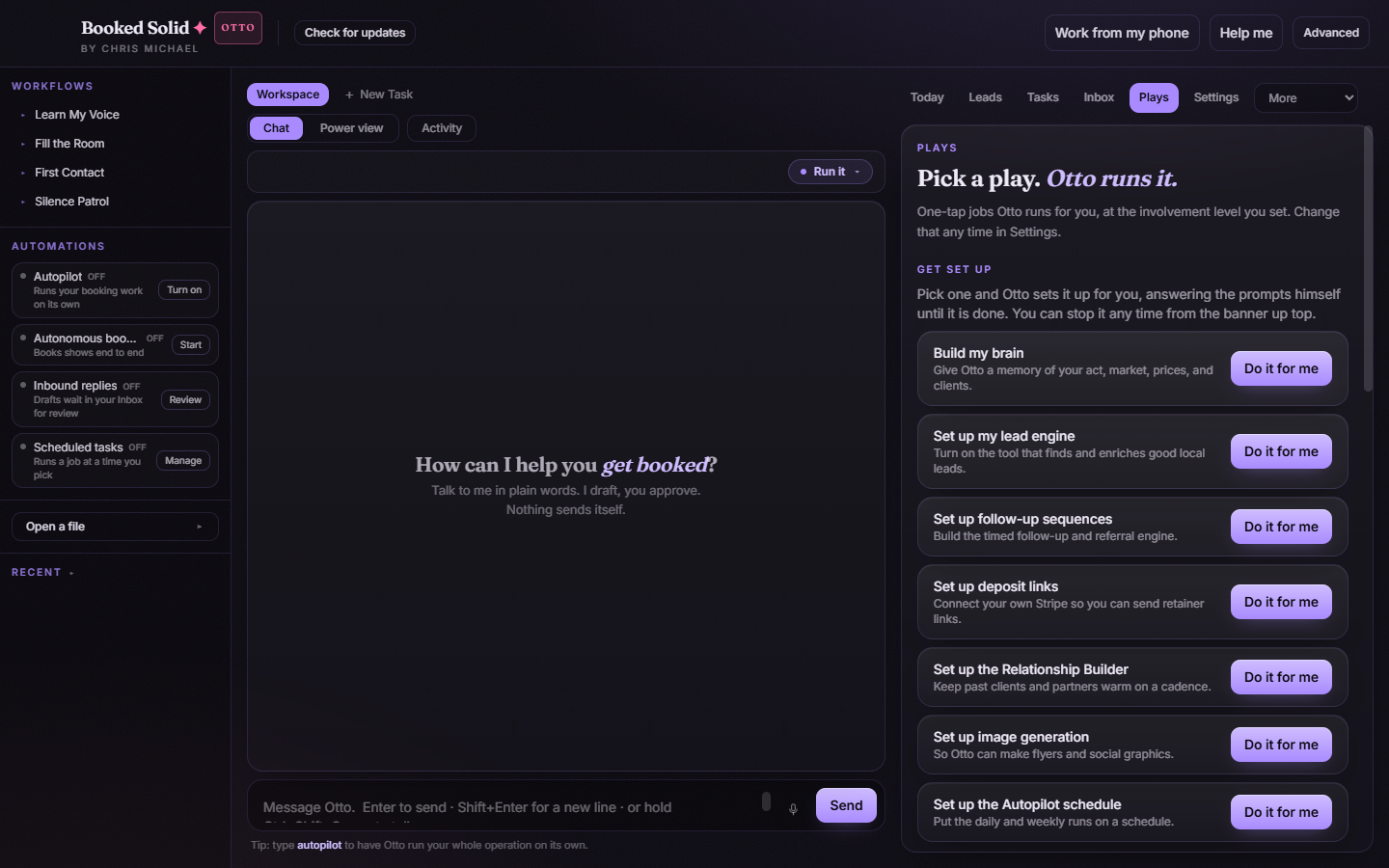
The recipes
Each recipe is a one-time job. Run it once and that part of your app is set up:
- Build my brain
- Set up my lead engine
- Set up follow-up sequences
- Set up deposit links
- Set up the Relationship Builder
- Set up image generation
Every one of these carries the same Do it for me button, so there's nothing to configure before you start.
How to run a recipe
- Open the Plays tab in the right pane and find the Get set up group.
- Tap Do it for me on the recipe you want.
- The setup runs end to end. Open Activity to watch each step as it happens, and answer there if Otto parks a question that needs your decision.
Because recipes are one-time setups, you don't need to babysit them. Start one, glance at Activity when you like, and come back to a finished piece of your operation.
The Autopilot schedule recipe
One recipe is tied to your plan: Set up the Autopilot schedule. On the Otto tier it works like every other recipe. On a Pearl account the button reads Upgrade to schedule instead, and tapping it opens the upgrade page at booked.kivimedia.co/upgrade so you can see what the Otto tier adds.
A good order to run them in
If you're brand new, Build my brain is a natural first stop, then work down the list as you need each piece: the lead engine when you want new prospects flowing in, follow-up sequences and deposit links when you're ready to close, and the Relationship Builder and image generation when you want the extras online. There's no wrong order - each recipe stands on its own.
Still stuck? Submit a ticket from this help center and we'll take it from there.